AI Editor
A rich text canvas with headings, bold, italics, text color, images, and AI assistance available as you write.

Draft, rewrite, and polish in one focused editor. Build books chapter by chapter, refine one sentence at a time, and export the finished work without switching tools.
Start writingPlans start at $19.98 per month
Five focused tools
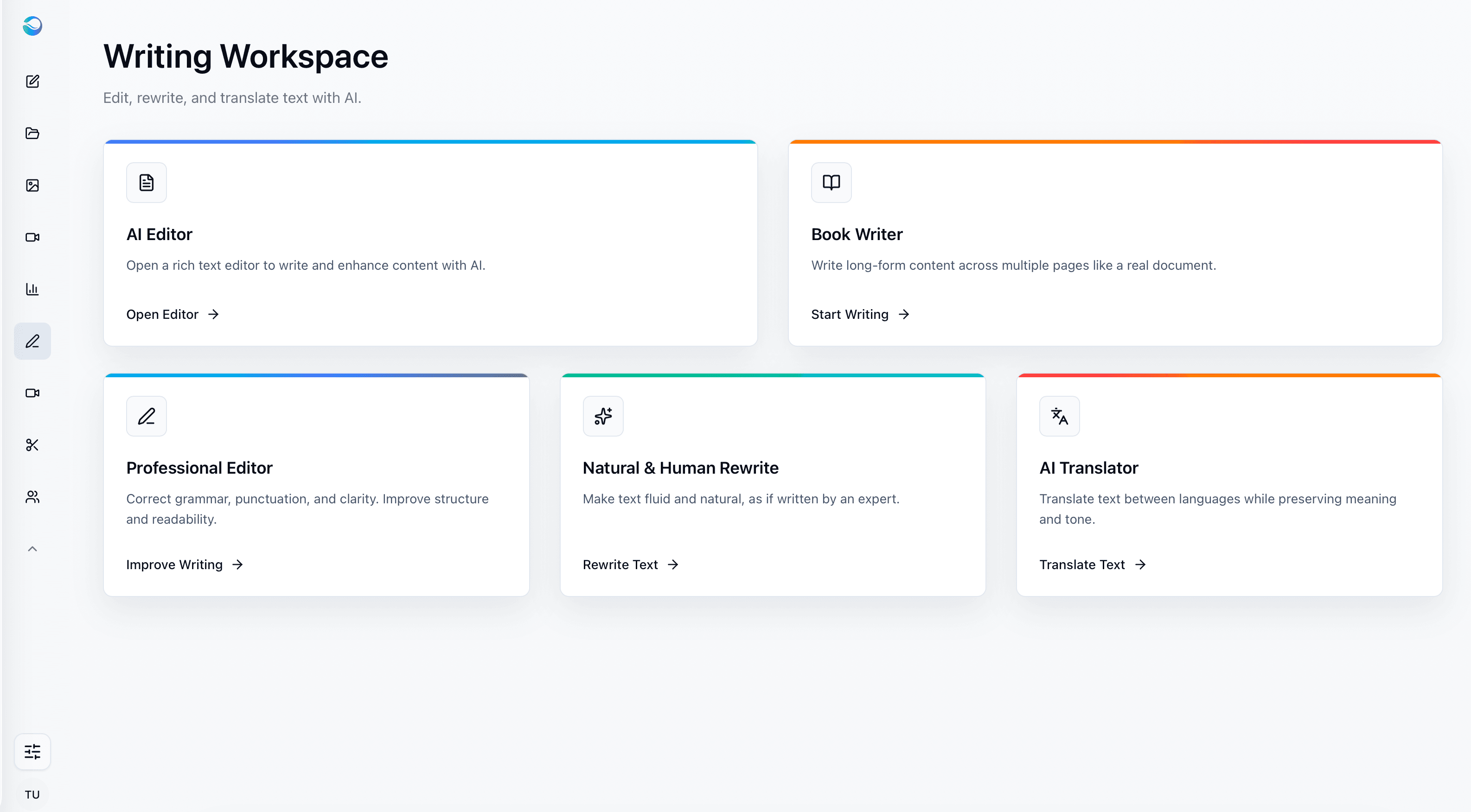
Writing Studio is not one generic text box. Each tool is designed for a different kind of writing work.
A rich text canvas with headings, bold, italics, text color, images, and AI assistance available as you write.
Build long-form projects chapter by chapter, with AI continue-writing that picks up exactly where you left off.
Correct grammar, punctuation, clarity, structure, and readability without changing your meaning or voice.
Turn stiff or mechanical drafts into fluid, natural writing that sounds like an expert wrote it.
Translate text or complete documents while preserving meaning and tone, with up to 50,000 pasted characters.
Full editing control
Generate a full draft, then refine one passage at a time, format it properly, and add images-all inside the same document.
Edit any part directly: Select one sentence or paragraph and ask AI to rewrite only that selection.
Format the document: Add H1 and H2 headings, bold, italics, and text color.
Add images: Insert visuals directly into the document while you write.
Structure long projects: Organize manuscripts and reports with chapters and clear navigation.
One document workflow
Turn a prompt or outline into a useful first draft.
Improve the tone, clarity, or structure of existing text.
Refine a near-final document for readability and voice.
Manage chapter-based projects with AI continue-writing.
Download the finished document as PDF or Word.
Book Writer
A manuscript is too large for one chat response. Book Writer keeps the project structured and lets AI continue naturally from where you stopped.
Open Writing Studio and select Book Writer.
Create the first chapter and give it a title.
Draft with AI, or write part yourself and use continue-writing in the same voice.
Add chapters as you go, keeping the full project organized in one place.
Select and rewrite individual passages without changing the rest of the chapter.
Export the finished manuscript to PDF or Word.
Paste up to 50,000 characters or upload a document, preserve its tone, and download the translation as a PDF.
Keep long manuscripts readable, organized, and easy to navigate as the project grows.
Take finished work outside SmophyAI in shareable PDF or editable DOCX format.
Common use cases
FAQ
Yes. Select any sentence or paragraph in Writing Studio and ask AI to rewrite just that part, while the rest of your document stays untouched.
Writing Studio is a full editor: add headings (H1, H2), bold, italics, text color, and images directly in your document, alongside AI-assisted drafting and rewriting.
Writing Studio’s Book Writer is built for exactly this: it organizes a long-form project into chapters and lets you continue writing with AI from wherever you left off, so a full manuscript can be built chapter by chapter rather than in one pass.
Finished documents can be exported to PDF or Word (DOCX).
Writing Studio handles both. Use the AI Editor, Professional Editor, or Natural & Human Rewrite for shorter content like blog posts, emails, and marketing copy, and switch to Book Writer for long-form, chapter-based projects.
Yes. AI Translator translates text between languages while preserving meaning and tone, so the result reads naturally rather than like a literal, word-for-word translation.
Yes. You can upload an existing document to AI Translator and translate it in full, then download the finished translation as a PDF.
You can paste up to 50,000 characters of source text directly, or upload a document if your content is longer.
For everyday business documents, content, and communication, yes. For certified or legal translation requiring official certification, a professional translator is still the right choice.
You own what you write with Writing Studio. AI assists with drafting, rewriting, and structuring, but the rights to the finished content are yours.
Writing Studio is included in every paid SmophyAI plan, starting at $19.98 per month. Writing Studio is not part of the free trial, which covers Multi-Chat and a limited set of image generations only.
Draft, refine, structure, translate, and export from one focused editor.
Open Writing StudioPlans start at $19.98 per month